 Info@ninjacodingpro.com
 ninjacodingpro
 +92 315 6421641
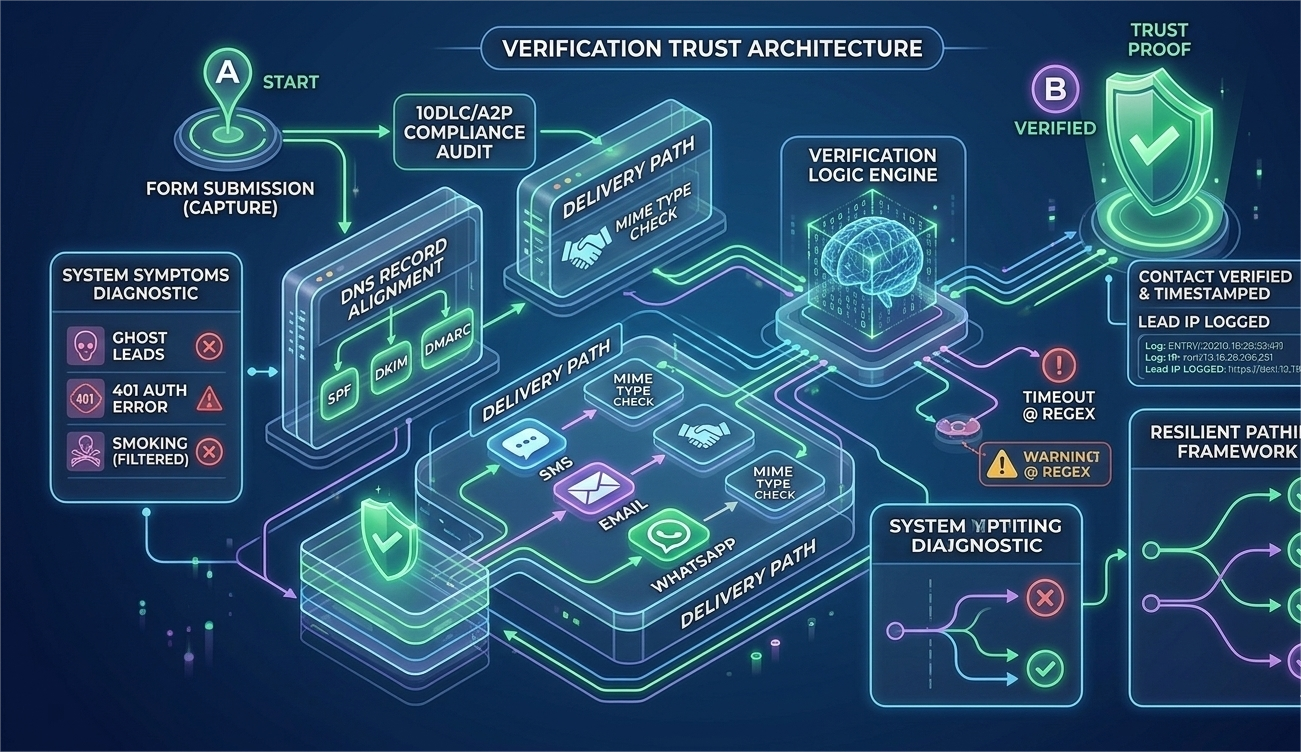
In 2026, the single biggest barrier to successful lead verification in GoHighLevel (GHL) is A2P 10DLC failure. If your business is sending automated text messages (like verification codes, appointment reminders, or marketing alerts) to US phone numbers, you are subject to strict carrier regulations.
The problem isn’t your GHL workflow; the problem is your messaging identity. When A2P compliance fails, your messages are blocked by carriers before they even leave the gateway. At Ninja Coding Pro, we don’t just build funnels; we engineer resilient messaging architectures that guarantee delivery.
1. The Anatomy of an A2P 10DLC Failure
The most critical problem GHL users face is “Carrier Filtering.” You see a “Sent” status in GHL, but the lead never receives the message.
- The Campaign Mismatch: This is the #1 cause of failure. Carriers require that the content of your messages exactly matches the “Campaign Use Case” you registered. If you registered for “Account Verification” but are sending marketing links, your throughput will be throttled to zero.
- MIME Type Conflicts: While GHL handles most MIME types, custom dynamic data in your SMS can sometimes confuse carrier filters. Ensuring that your verification codes are sent as clean, numeric data without complex formatting is essential.
2. Technical Troubleshooting: Auditing your A2P Status
Problem-solving requires visibility. You must audit your setup from Point A to Point B.
- Webhook Status 401/403: If GHL tries to send a message and receives a 401 Unauthorized or 403 Forbidden error from the telephony provider (e.g., Twilio), your API credentials or your A2P Campaign token may have expired or been revoked.
- DNS Record Alignment: For complete path analysis, your DNS records (specifically for email-to-SMS gateways) must align perfectly with your A2P Brand profile. Fragmented DNS creates data orchestration issues, increasing bounce rates.
3. Advanced Solutions for 100% Compliance
To solve the A2P delivery problem permanently, you must automate compliance.
- Dynamic Opt-in Logging: Every Point A contact capture must include a double opt-in with a timestamp and the user’s IP address. GHL can automate this by logging the data into a custom field. This “Trust Signal” is required to defend your A2P brand against spam complaints.
- Regex Verification: In your GHL verification workflow, use a Regex (Regular Expression) pattern to validate that the lead is entering a clean, numeric code, reducing logic errors and improving the verification loop.
A2P 10DLC Troubleshooting Mindset
| Failure Point | Beginner Approach | Pro Developer Approach |
| Messages are Blocked | Change the phone number | Verify Campaign Content matches Use Case |
| Verification Loop Error | Ask the client to try again | Check OAuth Scopes & Trace Failed Workflow Steps |
| Slow Site/Speed | Disable automations | Audit “App Bloat” (Shopify/GHL Apps) & Optimize CSS/JavaScript |
| Mobile Issues | It works on my iPhone | Check Core Web Vitals & “Thumb-Friendly” UI/UX |
Conclusion: Trust is the New Throughput
In 2026, compliance is not an obstacle; it is the fuel for your messaging engine. By mastering the technical requirements of A2P 10DLC, you ensure that every verification code you send isn’t just a cost, but a successful connection. At Ninja Coding Pro, we build systems that are functional, compliant, and ready to scale.
GHL A2P Troubleshooting Tutorial
To complement this article, you can watch this tutorial which visually walks you through the 2026 GHL trust center interface, showing you exactly where to check your Campaign status and where to debug 401 error logs.



Comments (0)